
Engineering Guide · Plastic CNC Machining
How to Calculate Plastic Part Weight from Density and CAD Volume
A practical method for estimating the mass of a machined or molded plastic part from its CAD material volume and the correct polymer density, with unit conversions, a worked example, and the main sources of error we see on real projects.
If you already have a CAD model, you can estimate a plastic part’s mass in minutes. The method is simple, but the result is only as good as the volume, the units, and the density you feed into it.
At PlasticCNCPro, we regularly receive drawings and 3D files from customers who need a quick material-quantity figure before they commit to a prototype run, a machining batch, or a shipping plan. This guide walks through how we make that estimate, which inputs matter most, and where the numbers tend to drift.
The Basic Formula: Density × Volume
The core relationship is straightforward: mass = density × volume. Density describes how much material is packed into each unit of volume, and volume describes how much space the solid material occupies. Multiply them and you get the mass of the part.
In everyday purchasing and shipping conversations, people often say “weight” when they mean mass. Mass is measured in grams or kilograms. Weight, in the strict physics sense, is a force, and it is calculated as weight = mass × gravitational acceleration, usually 9.81 m/s² at the Earth’s surface. For material purchasing, the mass figure is almost always what you need.
Input 1
Density (ρ)
Mass per unit volume of the specific plastic grade, typically in g/cm³ or kg/m³.
Input 2
Volume (V)
The solid material volume of the part, taken from the CAD model in a matching unit.
Output
Mass (m)
The product of the two inputs, expressed in the unit that results from the chosen density and volume units.
Quick Formula for Plastic Parts
For most plastic parts, the most convenient set of units is density in g/cm³ and volume in cm³. The result comes out directly in grams:
Mass (g) = Density (g/cm³) × Volume (cm³)
Equivalent conversions keep you safe when your CAD system reports something other than cm³:
| Target result | Density unit | Volume unit | Conversion rule |
|---|---|---|---|
| Grams (g) | g/cm³ | cm³ | Direct multiplication |
| Grams (g) | g/cm³ | mm³ | Divide mm³ by 1,000 to get cm³, then multiply |
| Kilograms (kg) | kg/m³ | m³ | Direct multiplication |
| Kilograms (kg) | g/cm³ (or kg/dm³) | mm³ | Multiply mm³ by density, then divide by 1,000,000 (for g/cm³, g ÷ 1,000 for kg) |
Unit check
1 cm³ equals 1,000 mm³, and 1 m³ equals 1,000,000 cm³. Mixing a density in g/cm³ with a volume in mm³ will overstate the mass by a factor of 1,000. Write the units next to every number before you multiply.
How to Get Part Volume from a CAD Model
Most mainstream CAD packages can report the volume of a solid body directly. Look for a mass-properties, measure, or inspect function, select the solid body, and read the volume value. The exact menu names vary between software, but the output is the same: the enclosed material volume of the body.
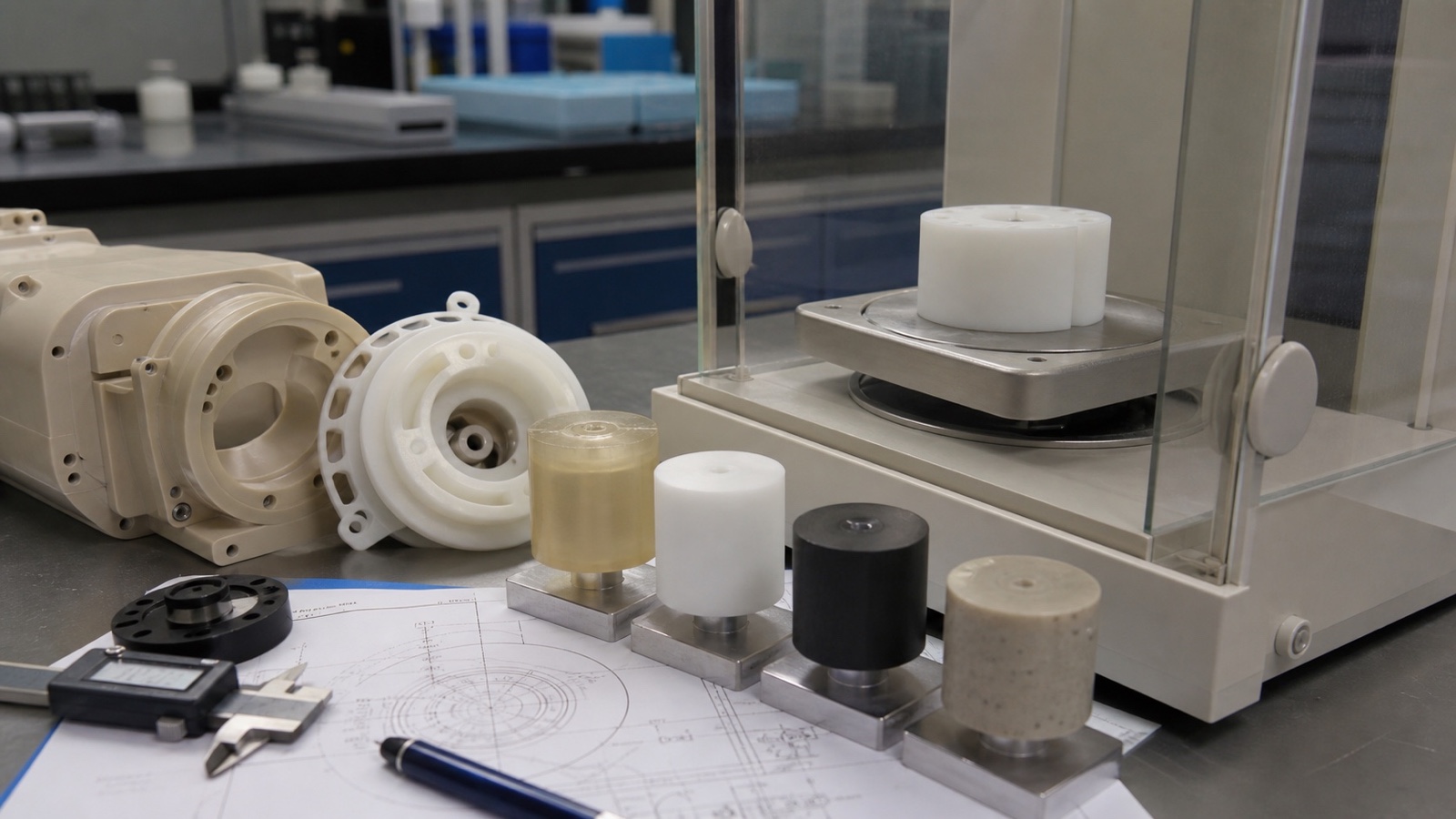
Four settings change the number you get, so check them before you copy anything into a spreadsheet:
Units
Confirm whether the document is in mm, cm, inches, or meters before reading the volume.
Model scale
Some models are drawn at a scale other than 1:1, or were imported from a file that scaled the geometry. A scaled model gives a volume that scales with the cube of the factor.
Solid-body status
Surface bodies, open shells, or bodies with gaps do not have a reliable enclosed volume. Repair or convert them to a solid before reading the value.
Selected bodies
If you select only part of the model, or accidentally include a reference body, the volume will be wrong. Check the body count and the selection list.
Do not confuse the numbers
Solid material volume is the material inside the part. Bounding-box volume is the volume of the smallest rectangular box that encloses the part, length × width × height. A bounding box can be several times larger than the real material volume for a bracket, housing, or hollow component. Using it for mass gives a result that is far too high.
Account for Holes, Cavities, and Multiple Bodies
A CAD volume already subtracts through-holes, pockets, and internal cavities, provided the body is a valid solid. You do not need to remove them by hand. What you do need to check is whether the model represents what you will actually produce. A drawn bore that is not machined, or a cavity that is filled in on the CAD side, will shift the result.
Some situations need a separate calculation for each material:
Assemblies and inserts
Metal inserts, bushings, or fasteners have their own densities and volumes. Calculate the plastic body and each insert separately, then add the masses.
Overmolds and mixed-material parts
Two-shot or overmolded parts combine materials with different densities. Split the model into regions by material and apply the correct density to each.
Multi-body CAD files need the same discipline. Export or measure each solid individually, record its material, and sum the results. A single density applied to a whole multi-body file is only acceptable when every body really is the same polymer.
How to Choose the Right Plastic Density
Density is the second input and the one most often approximated. Two parts that are both called “PA66” or “POM” can differ in density because of polymer grade, molecular weight, crystallinity, fillers, additives, colorants, and foaming. The name of the family is not enough.
We recommend using the material datasheet or the supplier’s stated density for the specific grade you are buying. A generic resin value from a table is a starting point for early comparisons, not a basis for a purchase quantity.
What changes density
- Glass fiber and mineral fillers raise density, often noticeably, because the reinforcing material is heavier than the base resin.
- Pigments and masterbatches usually change density only slightly, but they can matter for high-precision estimates.
- Foaming and porosity lower the effective density, so a foamed or porous part can weigh far less than a solid calculation suggests.
- Grade and formulation differences within one polymer family, such as flame-retardant or wear-resistant versions, can shift the value.
Plastic Material Density Reference
The table below gives representative densities for common plastics. These are typical ranges for unfilled, general-purpose grades. Treat them as planning values and verify the exact grade on its datasheet before ordering.
| Material | Typical density (g/cm³) | Notes for estimating |
|---|---|---|
| PP (polypropylene) | about 0.90–0.91 | Among the lightest common engineering-adjacent resins; filled grades are heavier |
| PE (HDPE) | about 0.94–0.96 | Density varies with crystallinity; UHMW-PE grades are typically in a similar range |
| ABS | about 1.04–1.06 | Flame-retardant and glass-filled grades can be considerably heavier |
| PC (polycarbonate) | about 1.19–1.21 | Glass-filled PC grades increase density; verify the specific formulation |
| PA (nylon, e.g. PA6 / PA66) | about 1.13–1.15 (unfilled) | Moisture uptake and glass-fiber content both affect the final value |
| POM (acetal) | about 1.40–1.42 | Notably heavier than many commodity plastics; a common surprise in mass estimates |
Values are typical ranges for general-purpose grades and are provided for planning only. Always confirm the density for your exact grade, filler content, and color with the supplier.
Worked Example: Calculate Weight from CAD Volume
Consider a hypothetical machined bushing housing. The CAD mass-properties tool reports a solid material volume of 25,000 mm³. We will use an acetal (POM) grade with a datasheet density of 1.41 g/cm³.
Align the units
Convert the volume to cm³: 25,000 mm³ ÷ 1,000 = 25 cm³.
Multiply
Mass = 1.41 g/cm³ × 25 cm³ = 35.25 g
Convert for reporting
35.25 g ÷ 1,000 = 0.03525 kg, which is about 35 grams of material for each part.
The same volume in a different plastic
Holding the 25 cm³ volume constant and changing only the density shows how much the material choice matters for the same geometry:
| Material (typical) | Density (g/cm³) | Volume (cm³) | Estimated mass (g) |
|---|---|---|---|
| PP | 0.91 | 25 | 22.75 |
| ABS | 1.05 | 25 | 26.25 |
| PC | 1.20 | 25 | 30.00 |
| POM | 1.41 | 25 | 35.25 |
Why it matters
The same geometry in POM weighs about 55% more than in PP. For a low-volume job of several hundred parts, that difference is significant in material purchasing and in the mass a shipment carries.
How to Use a Plastic Weight Calculator
A plastic weight calculator automates the steps above. It needs three inputs: the CAD material volume, the unit of that volume, and the material density. Some tools let you pick a material from a list, which fills in a typical density. You should still replace that value with the datasheet figure for your grade when accuracy matters.
Enter the solid volume
Use the material volume from the solid body, not the bounding box or the envelope.
Select the matching volume unit
Choose mm³, cm³, or m³ to match the value you read from CAD.
Verify the material and density
Confirm the polymer family and grade, then compare the density field against the datasheet.
Read the result as material mass
Interpret the output as the mass of solid material in one finished part.
Scope of the estimate
A calculator estimates the material mass of the finished geometry. It does not automatically add packaging, runners and sprues in molding, machining stock or chips, or production scrap. Add those allowances yourself when you need a purchase quantity or a shipping weight.
Improve Accuracy: Common Sources of Variation
A calculated mass is an estimate, and several factors can move it away from what a scale reads. The most common ones we see are listed below.
CAD rounding and model defects
Rounded dimensions, small gaps, or fillets simplified out of the model shift the volume slightly.
Unit mismatches
A density in g/cm³ combined with a volume in mm³ is the most common error and produces a factor-of-1,000 result.
Incorrect density selection
Using a generic family value instead of the grade’s datasheet density, or ignoring glass fiber, can change the answer by a meaningful margin.
Shrinkage and moisture absorption
Shrinkage changes the final dimensions relative to the nominal CAD, and some polymers, such as nylons, take up moisture that adds mass over time.
Porosity, foaming, and manufacturing variation
Voids, foamed cores, and process-dependent density gradients can make the real part lighter or heavier than the solid model suggests.
Our recommendation
When precision matters, weigh a small sample of finished parts on a calibrated scale and compare the result with the calculated value. Where a supplier provides density data for the specific lot or grade, use that figure. The gap between the calculated and measured mass is a useful calibration number for the rest of the project.
From Part Weight to Cost, Shipping, and Design Decisions
Once you have a mass estimate, it becomes useful beyond the calculation itself. It supports early material-cost and handling estimates, helps plan how many kilograms of stock to order, and gives a first view of how much a part will weigh in a finished assembly.
It is not a complete price, though. Machining time, setup, tooling, inspection, scrap rate, and current material pricing all affect the final quotation. We treat mass as one input to the cost picture, not the whole picture.
Actual mass versus shipping weight
The part’s actual mass is what the material weighs. Shipping carriers may bill on volumetric weight instead, which is based on package dimensions. These are different calculations and should be kept separate in your estimates.
Weight estimates also support material comparisons and weight-sensitive design decisions. If a moving fixture, robotic end-effector, or handling tool needs to stay light, comparing POM, PA, and PP masses for the same geometry gives a concrete basis for the choice, which can then be weighed against stiffness, wear, chemical resistance, and cost.
Frequently Asked Questions
How do you calculate plastic part weight?
Obtain the part’s solid material volume from the CAD model, select the density for your exact grade, align the units so they are compatible, and multiply density by volume. The result is the mass of the material in the finished part.
How do you calculate weight from density and volume?
Use mass = density × volume. For example, 1.2 g/cm³ × 10 cm³ = 12 g. Keep the units compatible: grams per cubic centimeter with cubic centimeters gives grams. Strictly, this gives mass; force-based weight is mass multiplied by gravitational acceleration.
How do you convert density to specific weight?
Specific weight is density multiplied by gravitational acceleration. Its unit is force per unit volume, such as N/m³. For example, a density of 1,410 kg/m³ gives about 13,800 N/m³ at standard gravity of 9.81 m/s².
Why divide by 6000 for volumetric weight?
Some carriers use a dimensional divisor to calculate chargeable weight from package dimensions, for example length × width × height in centimeters divided by a divisor such as 6000. This is a shipping calculation, separate from the plastic part’s actual mass, and the divisor varies by carrier and service, so confirm it with your carrier.
Why does calculated plastic weight differ from the actual part weight?
The most common causes are density variation between lots or grades, CAD volume accuracy, moisture uptake, unmodeled cavities or inserts, porosity or foaming, and manufacturing tolerances. Comparing against a weighed sample usually reveals which factor dominates.
Can I use calculated part weight for cost estimation?
Yes, as a material-quantity starting point. Adjust it for scrap, runners or stock allowances, process losses, and current material pricing before treating it as a cost basis. Machining, inspection, and setup costs must be added separately.
Request a quotation
Send us your drawing or 3D file
PlasticCNCPro machines custom plastic and engineering polymer components, from prototypes to repeat production. Share your 2D drawing, 3D model, material requirement, quantity, tolerance, and application details, and our engineers will review the design, material options, and manufacturability with you.
Request a quotation